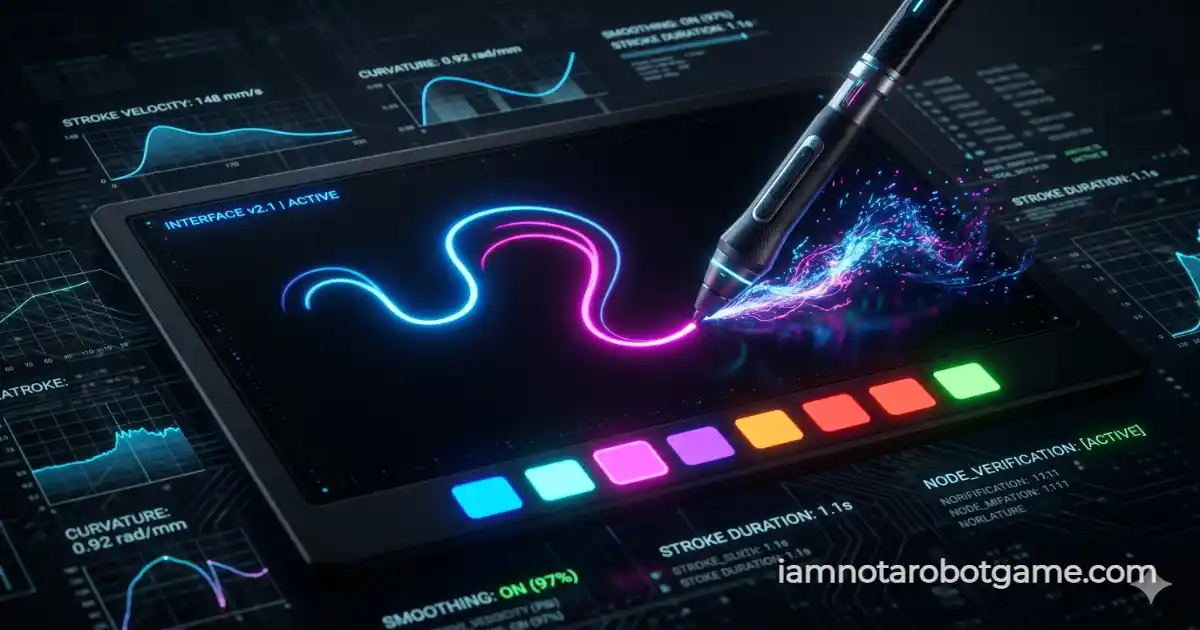
 Fig 1: The organic stroke analysis canvas evaluating path curvature and timestamp entropy.
Understanding Organic Expression & Entropy
Welcome to Level 25: Creativity. Traversing past the initial checkbox of Level 1: The Checkbox, the street sign grid of Level 2: Stop Signs, the liquid displacement of Level 3: Wiggles, the botanical sorting of Level 4: Vegetables, the spatial rotation of Level 5: Rotation, the Minimax stalemate of Level 6: XOXO, the character grid of Level 7: Word Search, the low-fidelity plate transcription of Level 8: License Plate, the recursive scaling of Level 9: Nested, the high-speed reflexes of Level 10: Whack-a-Mole, the high-density anomaly search of Level 11: Waldo, the image classification of Level 12: Muffins (Chihuahua), the inverse kinematic controls of Level 13: Reverse, the keystroke dynamics of Level 14: Affirmations, the spatial bounding boxes of Level 15: Parking, the 3D rotation matrix of Level 16: Now in 3D, the geometric precision canvas of Level 17: Perfect Circle, the gravitational friction slider of Level 18: Sisyphus, the sensory deprivation flashlight of Level 19: In the Dark, the psychological Rorschach inkblot of Level 20: Rorschach, the spatial crafting grid of Level 21: Craftcha, the duck physics rescue of Level 22: My Ducks! Ahhh!, the 3D parallax panorama of Level 23: Panorama, and the optical acuity phoropter of Level 24: Eye exam, the verification gauntlet challenges organic expression and kinetic entropy. Level 25 presents a digital drawing canvas and a neon color palette, challenging players to produce freehand abstract strokes that defy linear automation.
Step-by-Step Expression Guide
The verification console invites users to express organic consciousness through drawing. To clear the entropy matrix without triggering automated bot rejection filters, follow this creative protocol:
- Select an Expressive Neon Color: Choose from one of five interactive palette swatches (blue, purple, rose, green, or yellow) located beneath the drawing arena to prime your brush.
- Draw Freehand Curves and Loops: Click and drag your pointer across the canvas to draw a continuous curve, loop, or squiggle. The system analyzes path curvature rather than artistic aesthetics.
- Avoid Straight Lines and Instant Execution: Do not draw a perfectly straight line from point A to point B, and do not complete your stroke in under 300 milliseconds. The validation engine measures temporal variance and path-to-displacement ratios.
- Verify Artwork: Once you have generated a sufficiently complex, non-linear drawing, click the primary "VERIFY ARTWORK" button to process your stroke entropy and unlock Level 26: Parallel Parking.
Why Stroke Analysis Defeats Linear Scrapers
In automated bot defense, vector entropy and curvature analysis represent a robust barrier against simple programmatic point-and-click scripts:
- Path-to-Displacement Curvature Ratios: The client-side verification script computes the total path distance versus the straight-line displacement between the starting and ending points. A perfectly straight synthetic line yields a ratio near 1.0, instantly triggering the linear script rejection filter.
- Temporal Delta Validation: Automated macro scripts or headless browsers can instantly inject coordinate sequences across a canvas in microseconds. By enforcing a strict minimum drawing duration of 300 milliseconds alongside point count verification, the system screens out unnatural computer execution speeds.
- Absence of Subjective Visual Quality Judgments: The Turing test does not judge whether your drawing resembles a recognizable object or masterpiece; it evaluates mathematical entropy and human motor tremor variances within the point collection.
Path-to-Displacement Curvature Ratios
When you click "VERIFY ARTWORK", the game's JavaScript engine processes the array of coordinates you generated, calculating the ratio between the total stroke length and the net displacement. Human hands naturally introduce organic wobble and curvature, while scripts generate predictable vectors.
Mastering this expressive motor verification prepares you for the advanced navigation trials waiting in Level 26: Parallel Parking.
Frequently Asked Questions
How do I beat the Creativity level?
Draw a freehand curve, squiggle, or shape on the canvas. It must have organic curves and take more than 300 milliseconds to draw.
Why did my drawing fail verification?
If you drew a perfectly straight line, clicked without dragging, or drew the line instantly, the system flags you as a robotic script.
Can an automated script beat this?
Standard scripts teleport the cursor from A to B instantly in a straight line. This level's algorithm calculates path curvature and temporal variance to block non-human inputs.
Does the system actually analyze what I draw?
It does not judge the visual beauty of the art; rather, it analyzes the mathematical entropy, stroke curvature, and timestamp deltas of your input.