
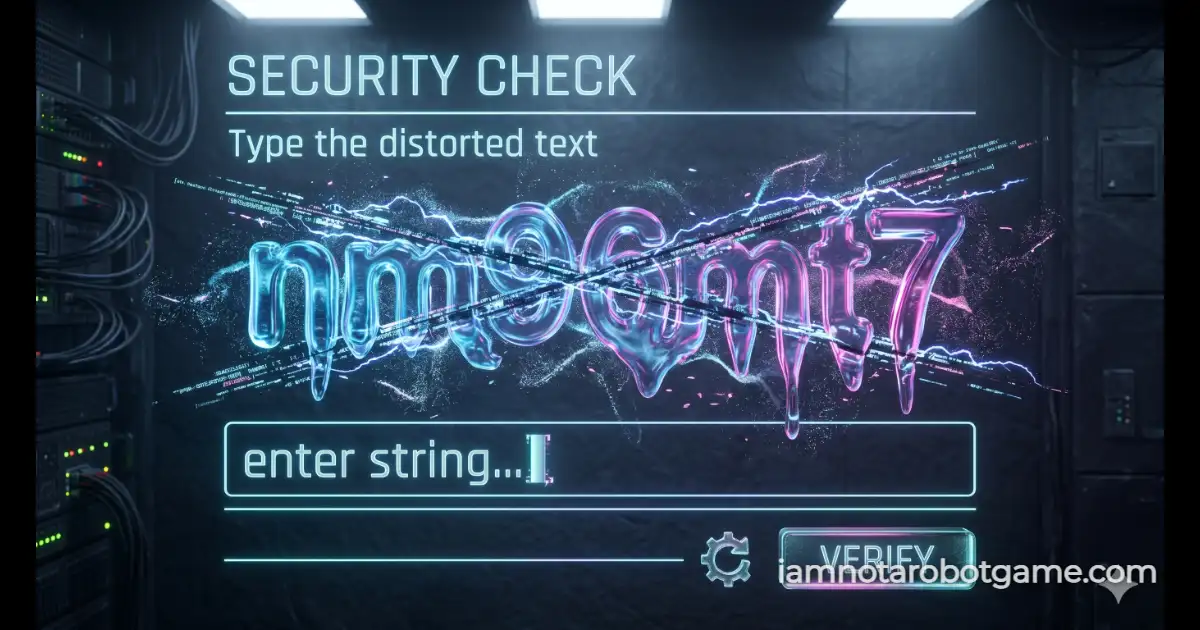
 Fig 1: The dynamic optical distortion typography matrix.
Understanding Dynamic Text Distortions
Welcome to Level 3: Wiggles. Having completed the foundational binary interaction of Level 1: The Checkbox and the pattern recognition of Level 2: Stop Signs, the security protocol shifts from spatial positioning to dynamic optical transcription. Level 3 simulates distorted cryptographic text verifications that defined classic web security systems. Here, static alphanumeric characters are subjected to real-time displacement waves, variable shear angles, and simulated chromatic aberration, forcing your visual cortex to interpolate true character contours beneath active visual noise.
Step-by-Step Optical Parsing Strategy
The game terminal renders an animated, liquid alphanumeric sequence composed of seven characters selected from a curated cryptographic set (excluding visually ambiguous glyphs like 1, l, I, 0, and O). To transcribe the sequence accurately without triggering a string reset, execute this sequence:
- Observe the Wave Cycle: Do not rush your initial input. The SVG displacement filter oscillates continuously across a predictable multi-second harmonic cycle. Watching the text for a single cycle allows you to identify baseline character anatomy during the lowest inflection points of the displacement wave.
- Cross-Reference Ambiguous Shapes: Pay close attention to narrow glyph pairs such as 'k' versus 'h', or 'p' versus 'b'. The displacement map intermittently compresses vertical ascenders and descenders. Wait for the counter-oscillation to confirm whether a character possesses a closed loop or an extended stem.
- Input the Sequence in Lowercase: Click inside the input field or press any key to establish active focus. Type the complete 7-character string. The evaluation logic processes entries on a case-insensitive basis, meaning you can type entirely in lowercase without using the Shift or Caps Lock keys.
- Execute Submission: Press the Enter key on your physical keyboard or click the blue "VERIFY" button. Entering a single incorrect glyph triggers an immediate shake animation and forces the generation of a completely new cryptograph.
Why Dynamic Displacement Defeats Automated OCR
Static text verifications were deprecated across the web because basic Optical Character Recognition (OCR) engines and automated headless scrapers easily segmented high-contrast monochrome pixels. If text sits still against a flat background, simple pixel clustering algorithms can vectorize character contours in milliseconds.
Level 3 counters automated parsing through layered client-side filter mechanics:
- Mathematical Fluid Motion: The text element is mapped through native SVG
feTurbulenceandfeDisplacementMapfilter primitives. Because the displacement values change along a procedural timeline, no two rendered screen frames have identical coordinate boundaries. - Chromatic Aberration Noise: In addition to geometric distortion, the typography projects red and cyan horizontal shadow offsets. Traditional binarization passes (which convert images to pure black-and-white to identify text boundaries) fail because the chromatic channels merge unpredictable luminance spikes into adjacent background stripes.
- Absence of DOM Scraping Hooks: While the characters exist within the Document Object Model, the actual visual shapes presented to the user are distorted purely through CSS filter pipelines. An automated scraper attempting to screenshot and parse the visual frame cannot rely on standard linear font definitions, requiring biological visual interpolation to decode.
The Architecture Behind Optical Distortion
Rather than burdening browser resources with resource-heavy canvas loops that drain mobile battery life, this matrix utilizes native hardware-accelerated SVG filter pipelines. A procedural turbulence generator is fed directly into a displacement matrix, creating a fluid text effect while maintaining fluid frame rates across desktop and mobile devices alike.
Mastering this textual transcription is vital before you face the organic image classification trials waiting in Level 4: Vegetables.
Frequently Asked Questions
How do I beat Level 3 Wiggles?
Carefully read the 7-character distorted alphanumeric sequence floating in the center box, type the matching characters into the input box, and hit Enter or click "VERIFY".
Does letter capitalization matter for verification?
No. The validation function automatically normalizes all inputs using case-insensitive string parsing, so you can submit your answer entirely in lowercase.
Why did my text change after making a typo?
Level 3 enforces a strict zero-tolerance failure penalty. Submitting an incorrect character triggers an error animation, resets the hardware timer, and immediately generates a fresh alphanumeric string to prevent brute-force guessing.
How does the completion timer function on this stage?
The performance timer initializes the instant a new cryptograph string renders in the display box and halts the millisecond your successful input is validated by the system.