
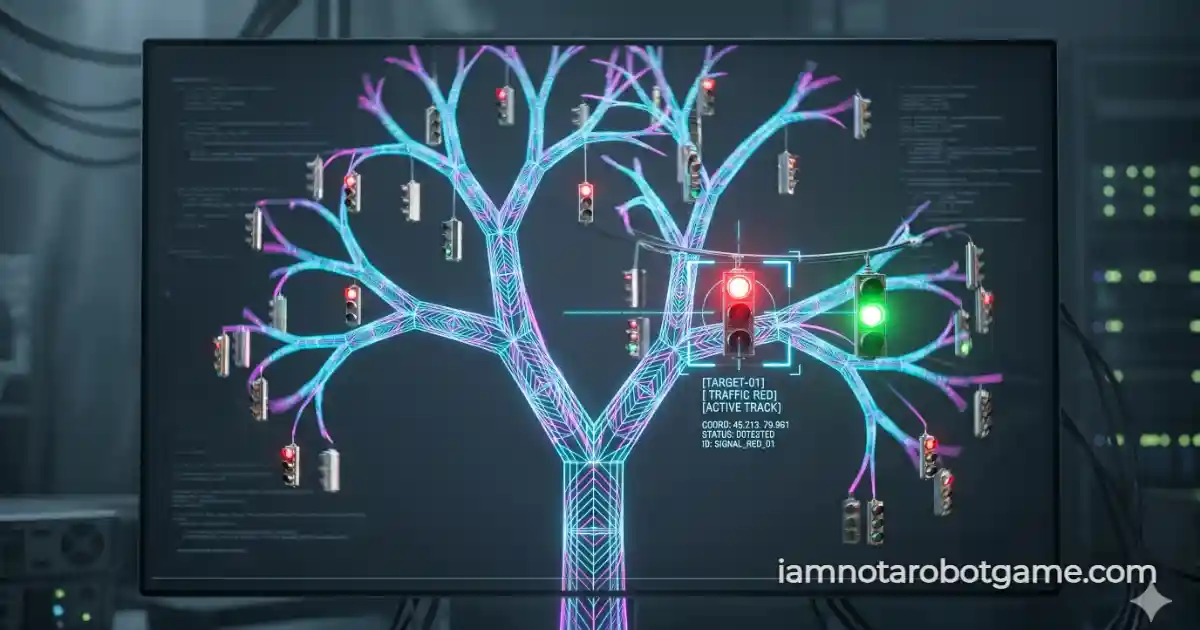
 Fig 1: The procedural kinematic fractal tree matrix evaluating temporal color-state tracking.
Understanding Procedural Fractal Tracking
Welcome to Level 31: Traffic Tree. The classic CAPTCHA prompt "Select all squares with traffic lights" has been entirely re-engineered. The security matrix has abandoned static DOM grids and now tests your hand-eye coordination against procedurally generated organic physics. After mastering Level 30: Sliding Tiles, you must now track moving targets across a shifting fractal canopy.
Step-by-Step Tracking Strategy
Patience and tracking are key. Do not click frantically. Follow this structured protocol to clear the traffic tree:
- Identify the Targets: Scan the branch tips for the 4 traffic light nodes. Ignore the red apples—they are visual decoys.
- Track the Natural Sway: The tree uses sine waves to simulate wind. Keep your cursor hovering near a target's projected movement path.
- Time the Light Cycle: Wait for the target's color state to cycle specifically to RED.
- Execute Verification Strikes: Click the node while it is red. If successful, it locks into a verified state and turns neon blue. Repeat 3 more times to unlock Level 32: Drum Verify.
Why Procedural Kinematics Defeat Static DOM Scrapers
Why does a swaying tree completely destroy automated visual scraping bots? Standard OCR and image recognition models rely on static screenshots. To beat this level, an AI would need to take a screenshot, identify the traffic light, identify its current color phase, and execute a click event within a fraction of a second.
Trigonometric Sine Waves and Frame-Rate Hitboxes
However, because the tree's branches are governed by continuous trigonometric functions (Math.sin(time)), the absolute X/Y coordinates of the hitboxes change on every single frame drawn to the <canvas>. By the time a bot calculates the trajectory, the node has already moved. Furthermore, injecting a click via the DOM is impossible, as the targets exist only as pixels in the rendering buffer.
This ensures only a biological human utilizing predictive motor control can successfully pass. Prepare your rhythm, because Level 32: Drum Verify is next.
Frequently Asked Questions
How do I beat the Traffic Tree level?
Wait for the traffic lights hanging on the tree to turn red, then tap or click them while tracking their swaying movement. Do not click the apples or green/yellow lights.
Why is the tree moving?
The swaying motion utilizes trigonometric functions to constantly shift the X/Y coordinates of the hitboxes. This defeats static auto-clickers and visual DOM scrapers.
Can an AI bot solve this?
Standard bots fail because they cannot process the temporal color-state changes combined with dynamic kinematic coordinate tracking at 60 frames per second.
What happens if I click at the wrong time?
Clicking a green light, a yellow light, or a decoy object instantly plays a crash sound, resets your progress, and generates a completely new procedural tree layout.